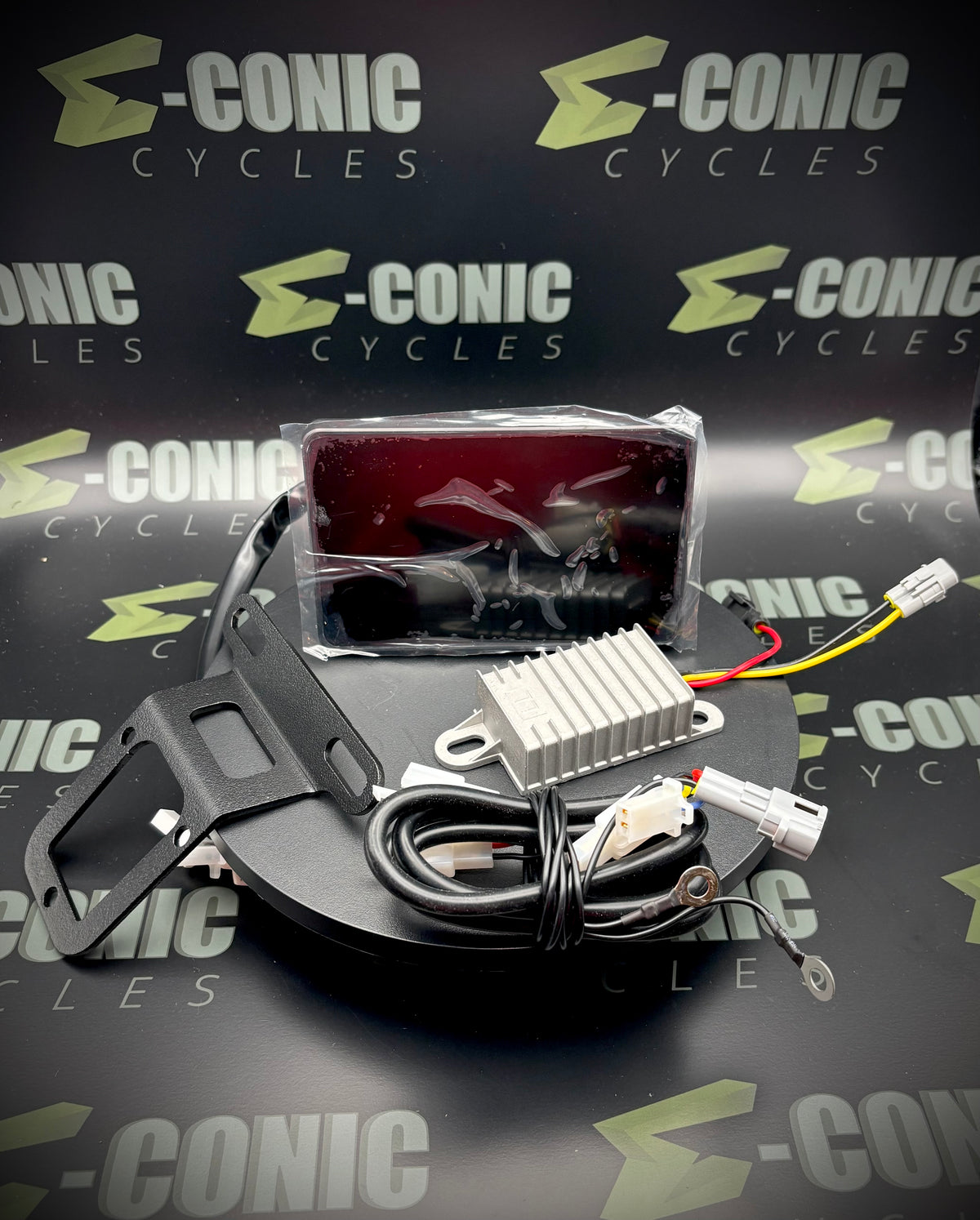
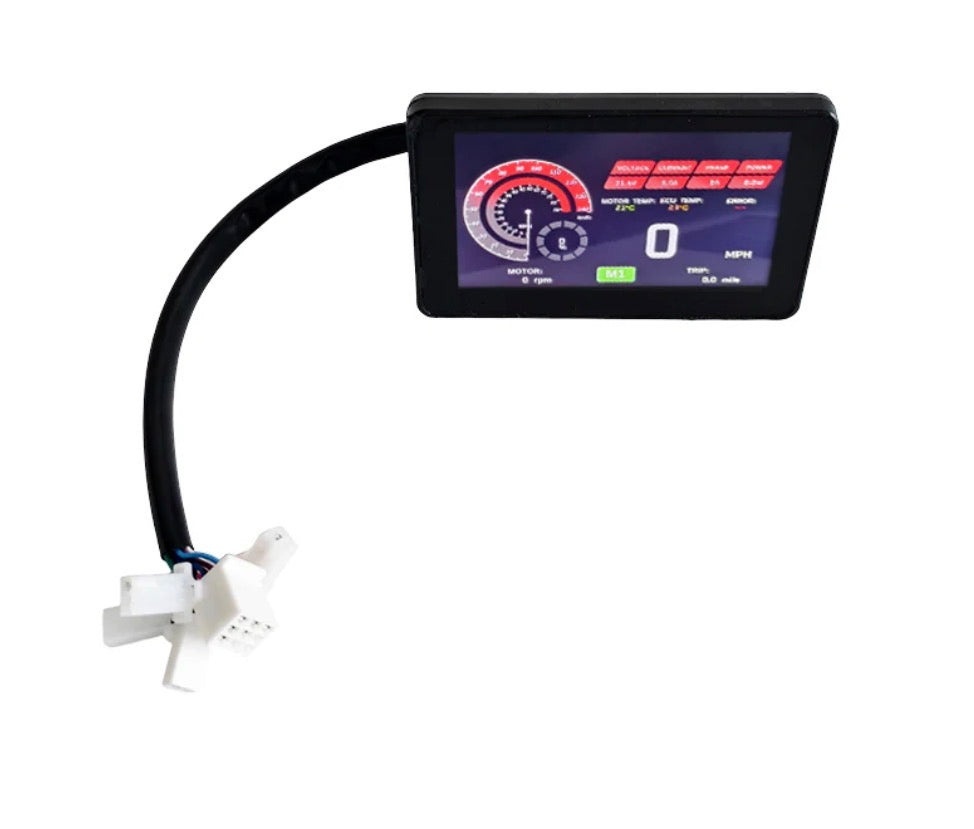
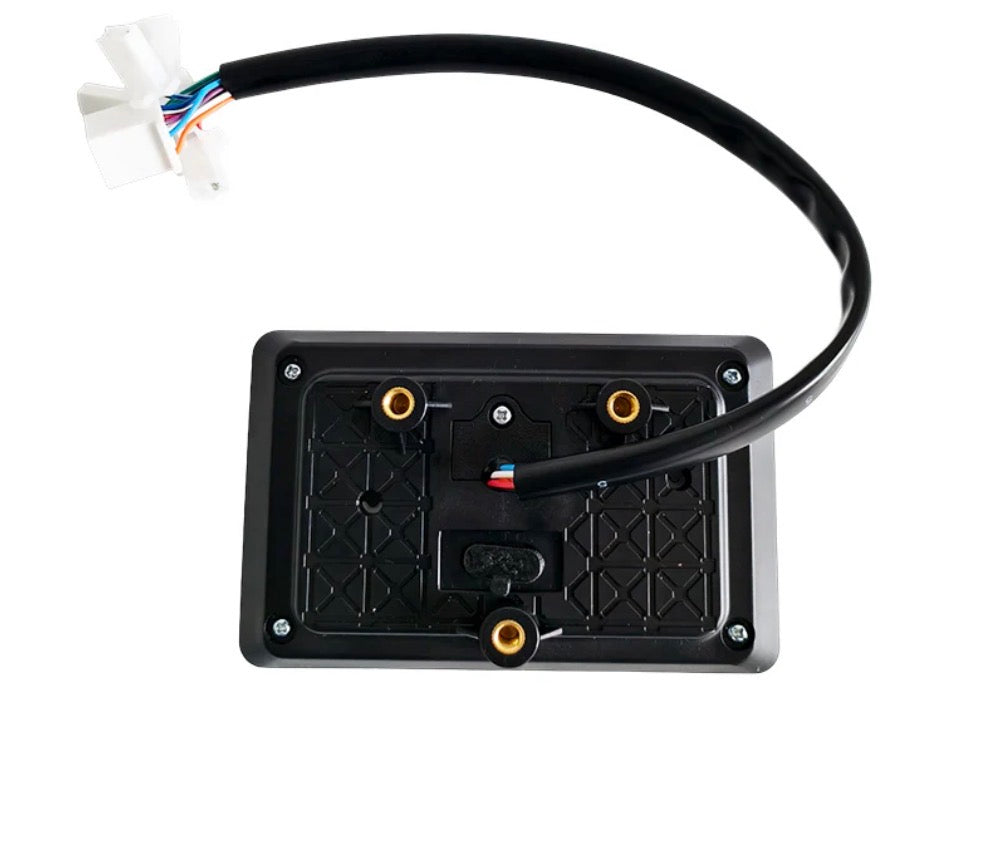
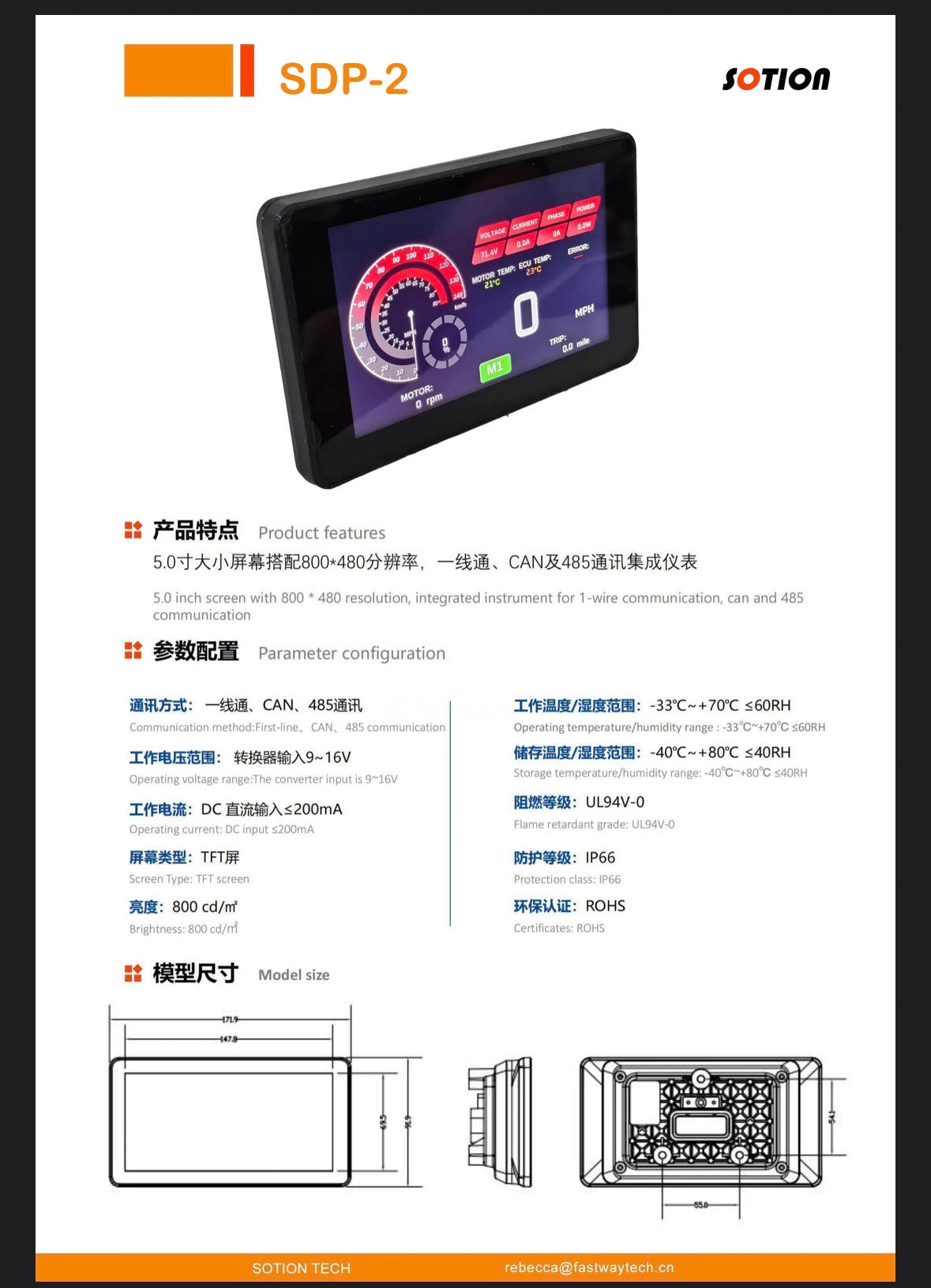
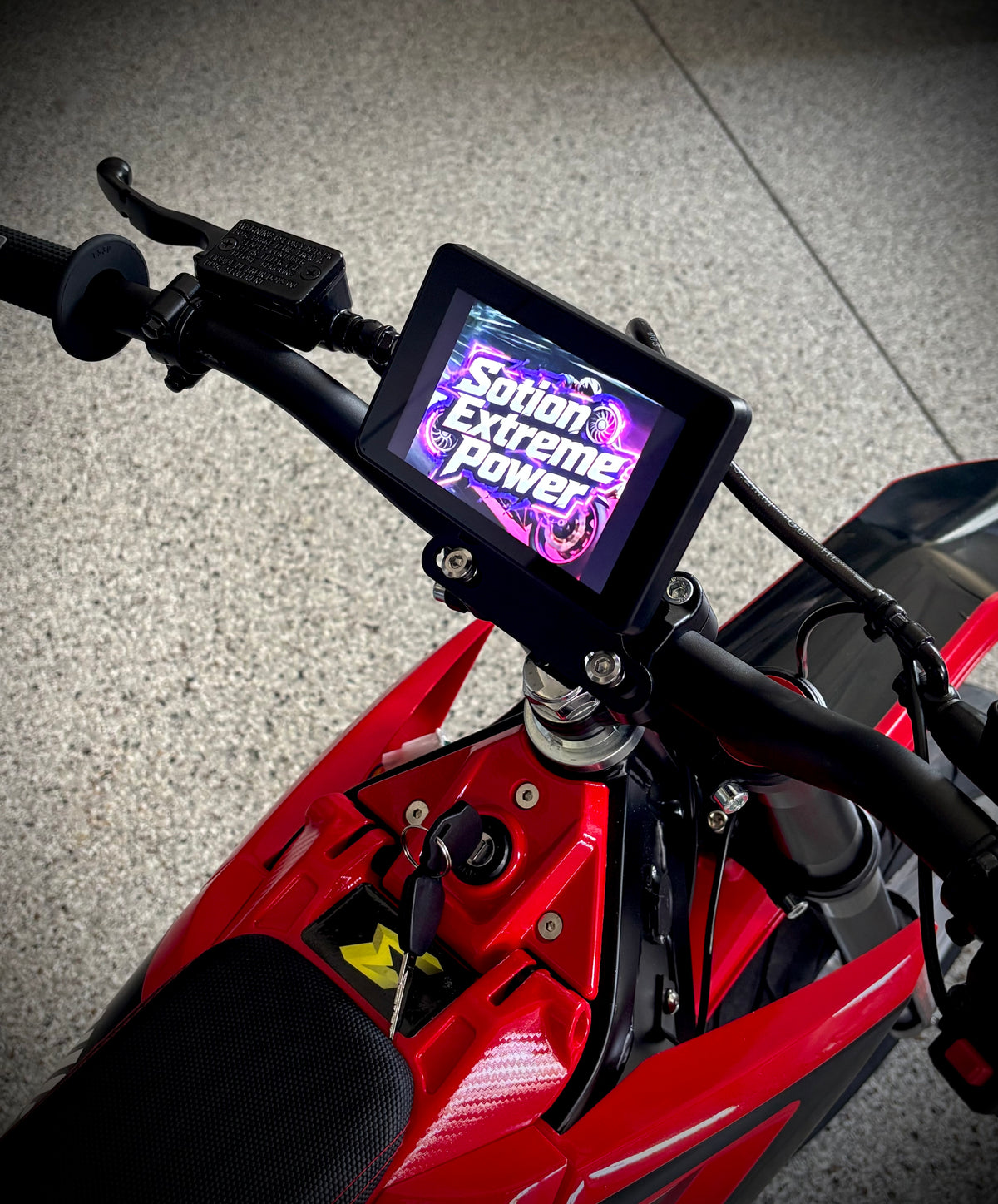
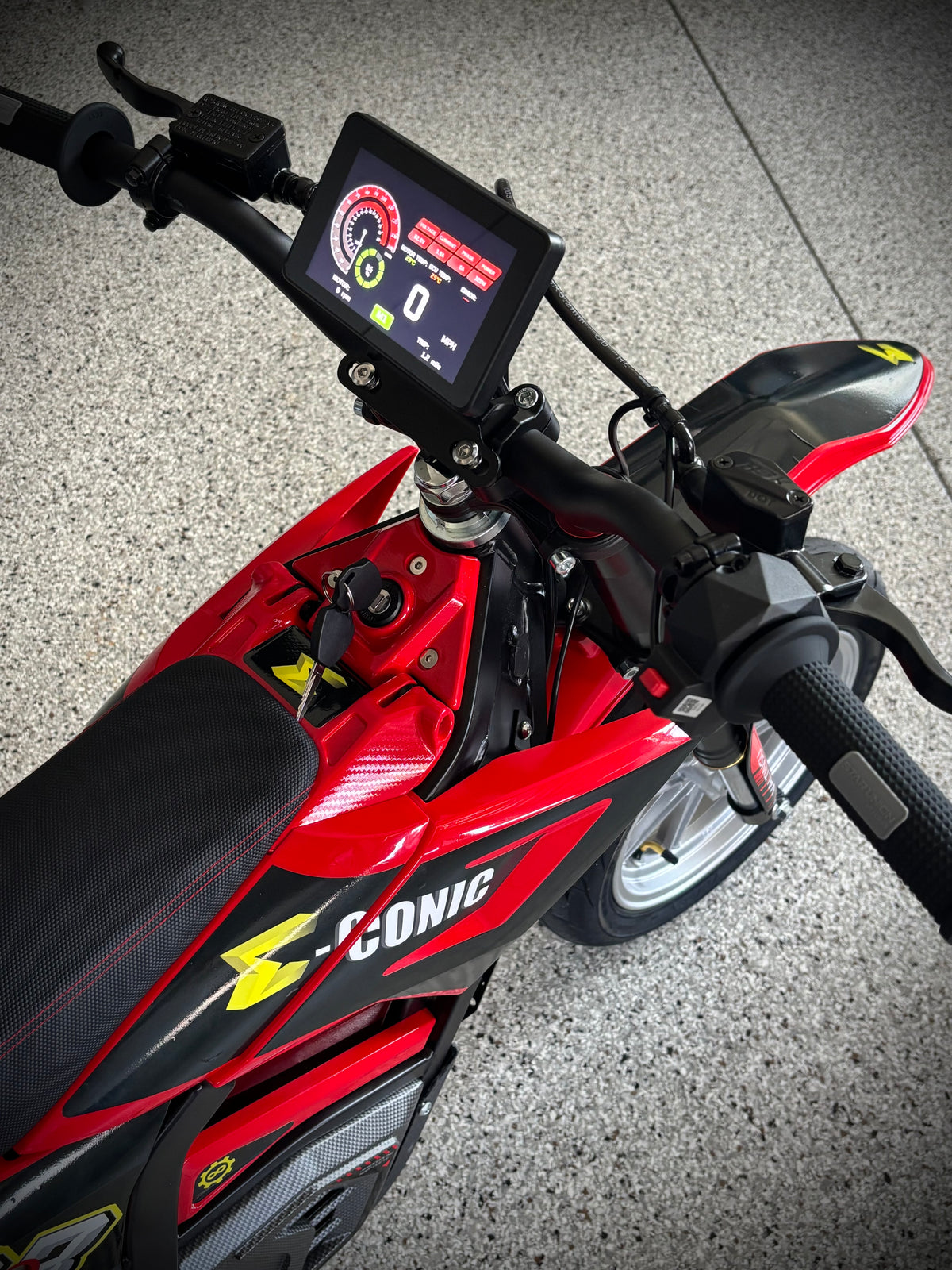
For a limited time, we're offering a QF721000 (ND721000 Power) FarDriver with CANBUS, Sotion's NEWEST RELEASE SDP-2 Display (5"), Twist Throttle, and Mounts (controller & display) to give you a full power upgrade. The controller already has the firmware upgrades (normal canbus FarDrivers will need an update to use all of the display options) to make it work flawlessly with the new display and it includes a mount that pairs well on many pit bikes. This is the same display being run on our hub motor demo bike. Stepdown converter included. Looks great on a Valtinsu EM-5 or Yozma IN10 or even SurRon LBX!
Operating Voltage: 48V - 72V
Max Line (Battery) Amperage: 500A
Max Phase Amps: 1000
Wireless Programming via Bluetooth: FarDriver App (iOS & Android)
Dimensions
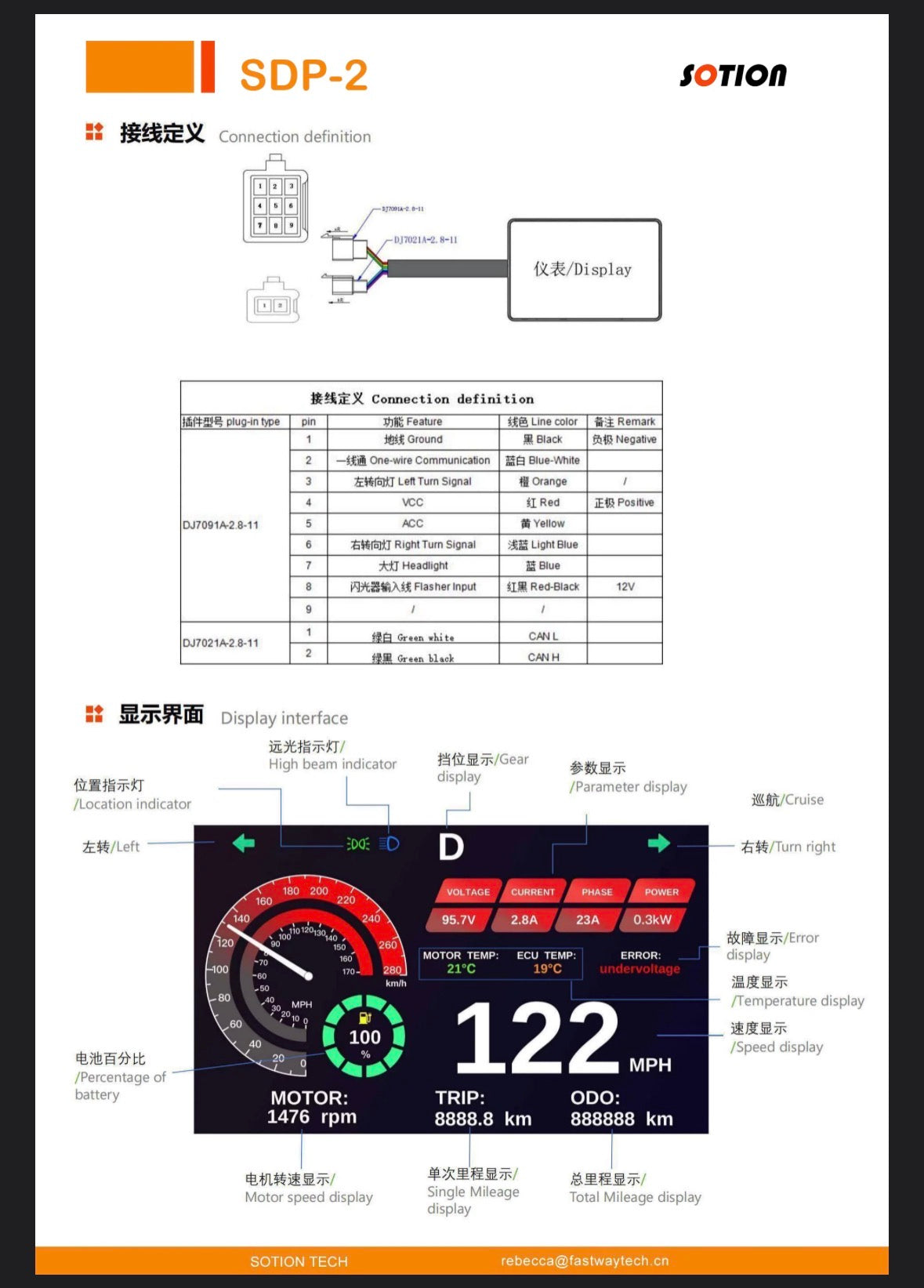
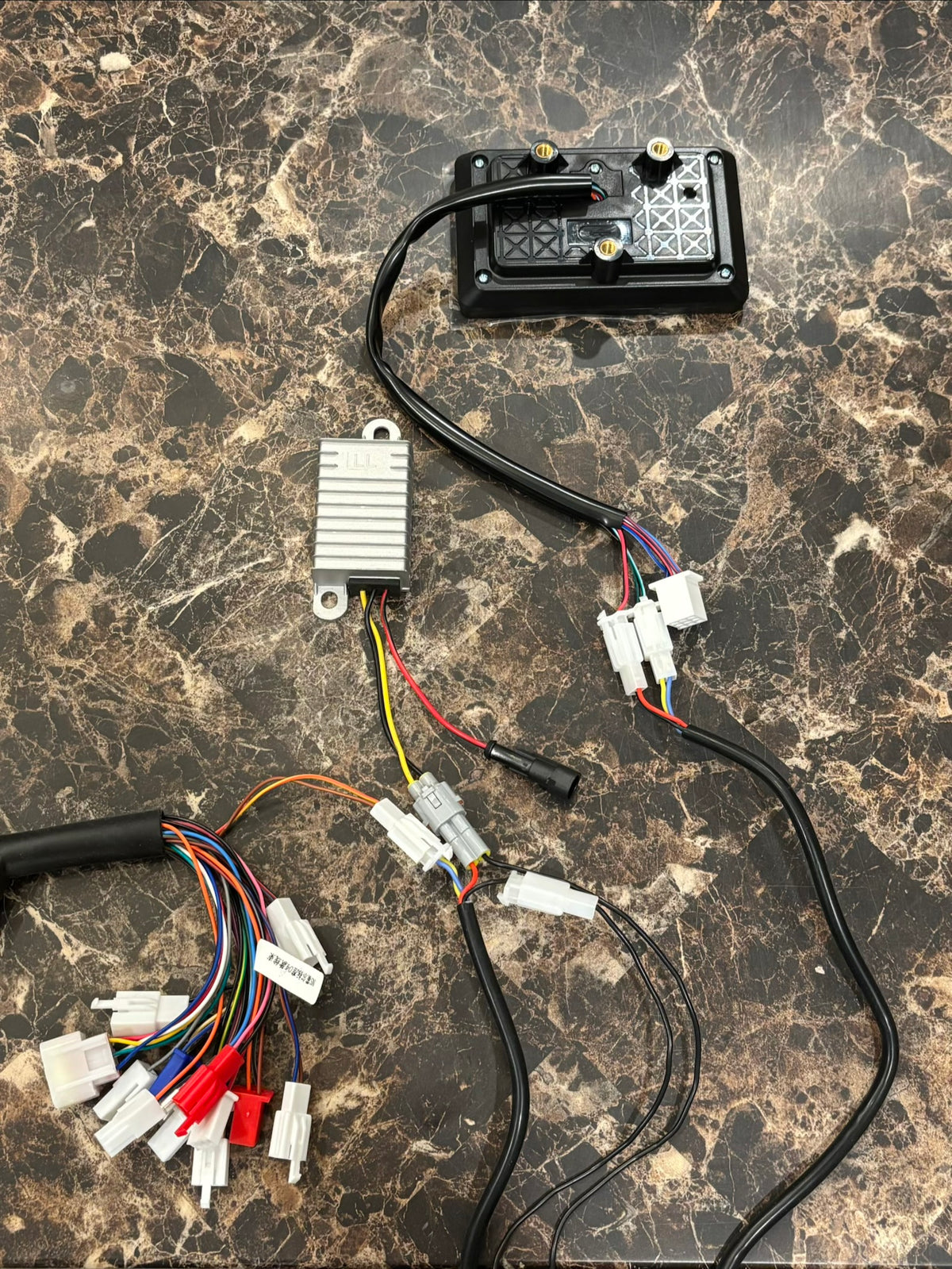
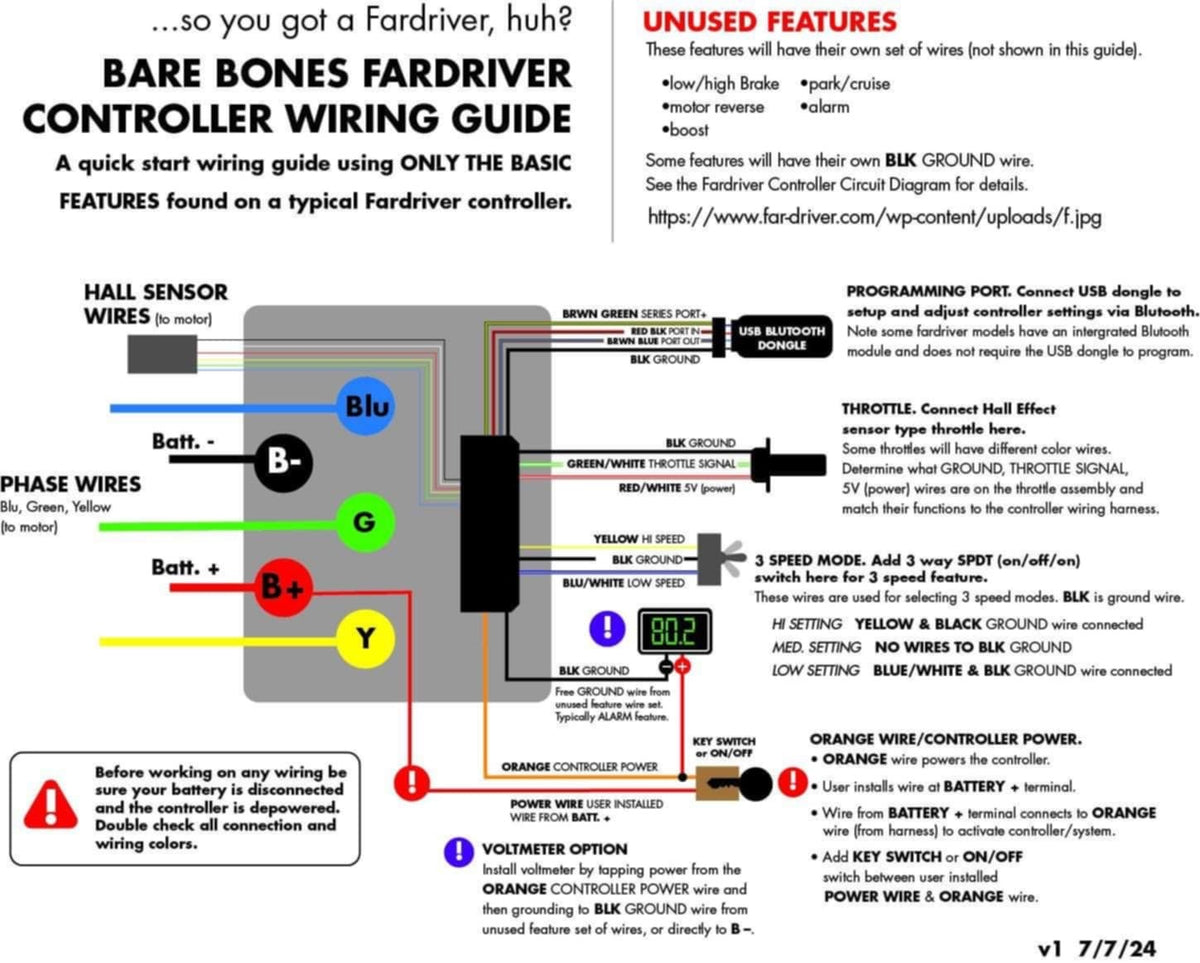
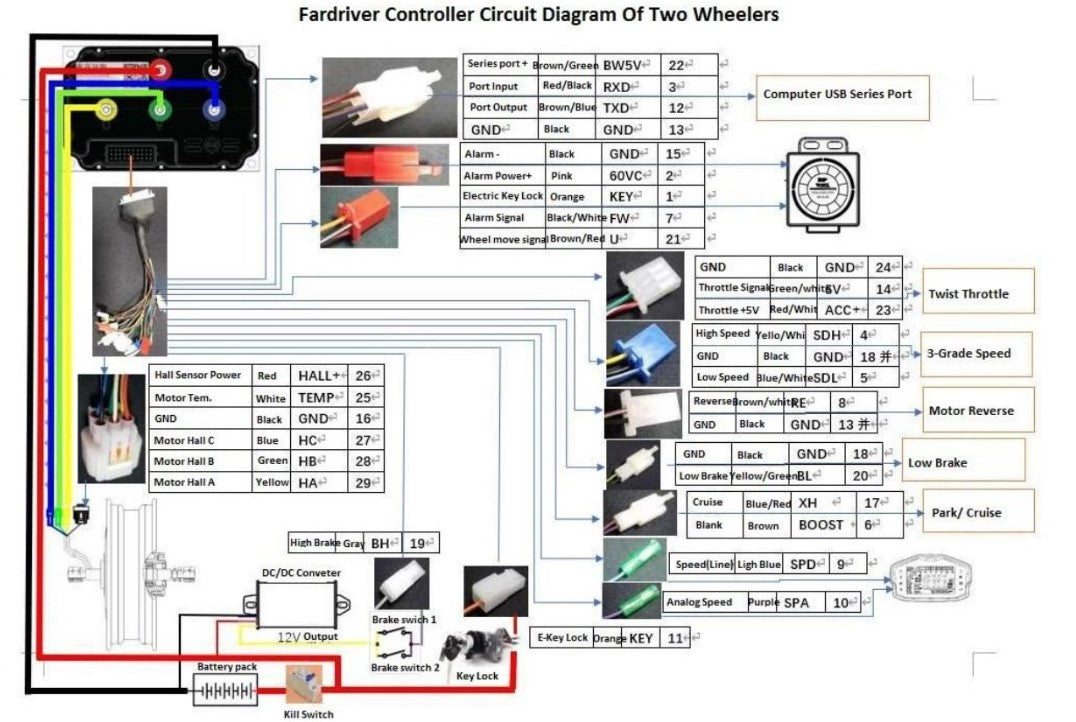
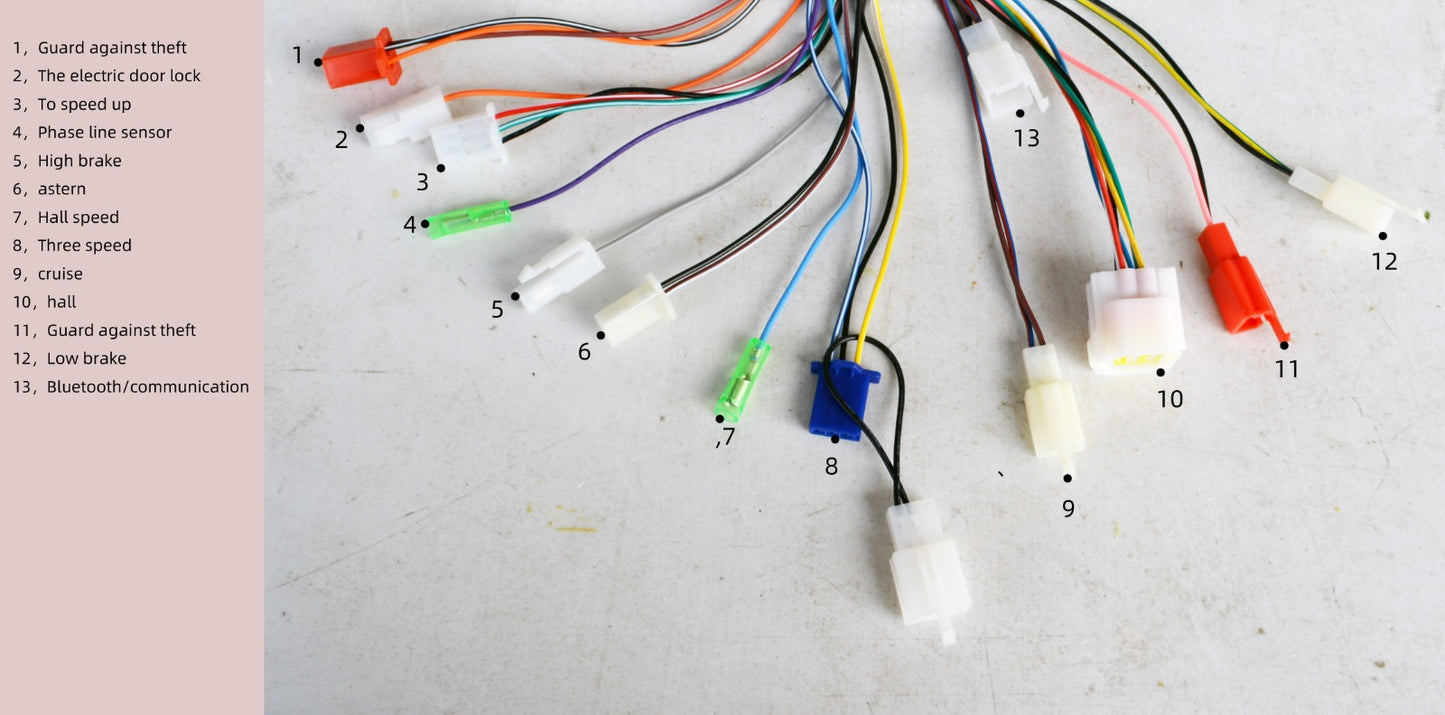
WIRING (see pic in photo gallery)
Stepdown Converter: plug the gray connector (yellow & black wires) into the extension gray connector (red & black wires). Hardwire the red wire with black stripe to the switched power of your ignition (it should also connect to the ORANGE wire of the FarDriver to turn them both on with the key).
Sotion 721000 Wire Harness: plug the two pin (yellow with red stripe and brown with yellow stripe wires) into the display harness extension two pin female (yellow and blue wires). These are your canbus communication wires.
Display Extension Harness: on the end closest to the display, plug in the male two pin (red and black wires) into the display’s female two pin (red and black wires). Plug in the male (yellow & blue wires) into the display’s female two pin (green canbus wires).
9 Pin: only used for accessories (see pin out) such as turn signals or headlight. Display does not power these items. It simply reports when they’re in use.
Tuning Guides, Software Updates, Troubleshooting
Basic Tuning Setup Video by Voltron Watts!
Be sure to visit our Controller Essentials Page.